
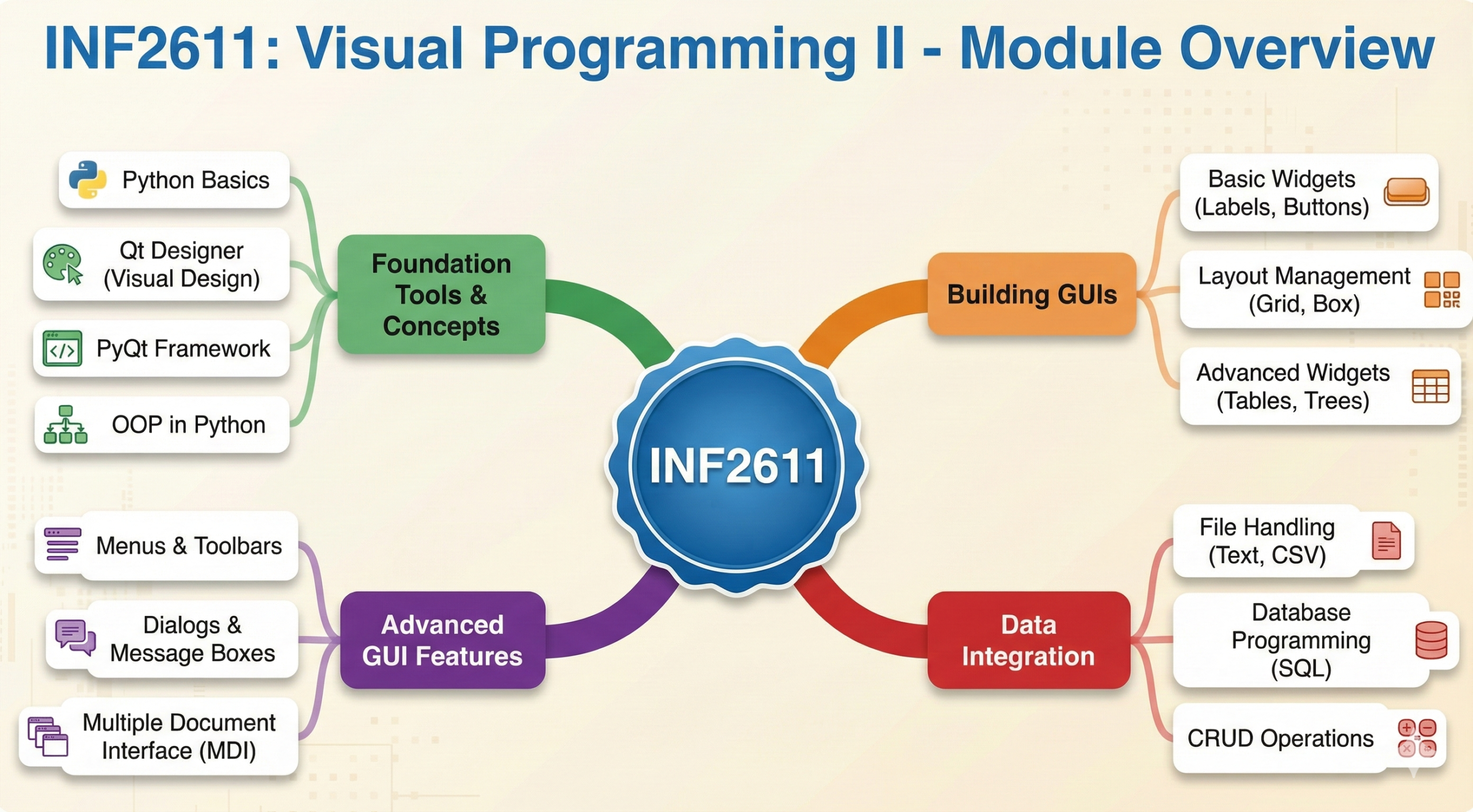
INF2611 is where your programming skills start to look “real.” You stop writing code that just outputs text to a console and start building actual windows with buttons, menus, and input fields.
The module uses Python combined with the PyQt framework. The challenge isn’t just knowing Python; it’s understanding how to make Python “talk” to a visual interface. Many students struggle because they treat this like a standard coding module. It isn’t. It is an Event-Driven programming module.
This guide breaks down the core concepts you need to master to bridge the gap between design and logic.
1. The Toolset: Qt Designer vs. Code
You need to master two different ways of working.
Qt Designer (The Visual Side)
This is where you drag and drop widgets to create your .ui file.
- Object Names: This is the most critical step. Never leave a button named
pushButton_1. Rename it immediately to something logical likebtnSubmitortxtUserName. If you don’t, you will get lost in your own code later. - Layouts: Examiners hate messy interfaces. You must use Layout Managers (Vertical, Horizontal, Grid). This ensures that when the user resizes the window, your buttons don’t disappear.
Python Code (The Logic Side)
This is where you load the .ui file and make it do something.
- Converting UI to PY: You need to know how to use the command line tool
pyuic5to convert your design into a Python class file. - Command:
pyuic5 -x design.ui -o design.py
2. Signals and Slots (The Heart of PyQt)
This is the concept that confuses everyone.
- The Signal: An event that happens (e.g., “User clicked the button”).
- The Slot: The function you wrote that responds to the event (e.g., “Calculate the total”).
- The Connection: You must write the line of code that connects them:
self.btnSubmit.clicked.connect(self.calculateTotal) - Note: Do not put brackets
()aftercalculateTotalinside the connect function, or it will run immediately when the app starts!
3. Object-Oriented Programming (OOP) in Python
INF2611 relies heavily on Classes. You cannot write a PyQt app without them.
- The self Keyword: You will see
selfeverywhere. It refers to “this specific window.”x = 5(A variable that dies when the function ends).self.x = 5(A variable that lives as long as the window is open).
- Inheritance: Your main window class usually inherits from
QMainWindoworQWidget. You need to understand this hierarchy to know which methods (like.show()or.close()) are available to you.
4. Database Connectivity
Towards the end of the module, you will connect your app to a database (usually SQLite).
- The Workflow:
- Connection: Establish a link to the
.dbfile. - Cursor: Create a cursor object (think of it as your “messenger”).
- Execution: Send SQL queries (
SELECT,INSERT) via the cursor. - Commit: If you change data, you must commit, or it won’t save.
- Connection: Establish a link to the
- Exam Tip: Memorize the SQL syntax for
INSERTandUPDATE. Python won’t fix your SQL syntax errors for you.
Decksh’s Top 3 Tips for a Distinction
Tip 1: Validate User Input
A distinction student doesn’t just calculate; they check if the calculation is possible.
- Use
try...exceptblocks. - If the user types “ABC” into a customized “Age” field, your program should crash gracefully or show a message box (
QMessageBox), not just close with a red error code.
Tip 2: Know the Widget Methods
You need to know how to get data out of and put data into widgets.
- LineEdit:
.text()to read,.setText("string")to write. - ComboBox:
.currentText()to get the selected item. - RadioButton:
.isChecked()returns True or False.
Tip 3: Comment Your Code
In Visual Programming, code can get messy fast.
- Add comments explaining what a function does.
- Use “Docstrings” (triple quotes
""") at the start of your classes. Examiners look for this professional touch.
Conclusion
INF2611 is a rewarding module because you finally get to build things you can see and click. The trick is to stay organized. Name your widgets properly, organize your code into functions, and master the try...except block. If you can handle Signals & Slots, you will pass.
Good luck!